DRIVE
Up to +12 dB of color while the level adjusts itself, so you hear character, not just "louder". The lamps show how hot it runs.
VINTAGE PREAMP AND EQ WITH AI
The legendary British 1073 channel - a preamp and EQ with the warm color of hardware. The model reacts to what you feed it, and you get more freedom than the hardware ever gave: from a light polish to wild overdrive.
TWO LICENSES ARE PROVIDED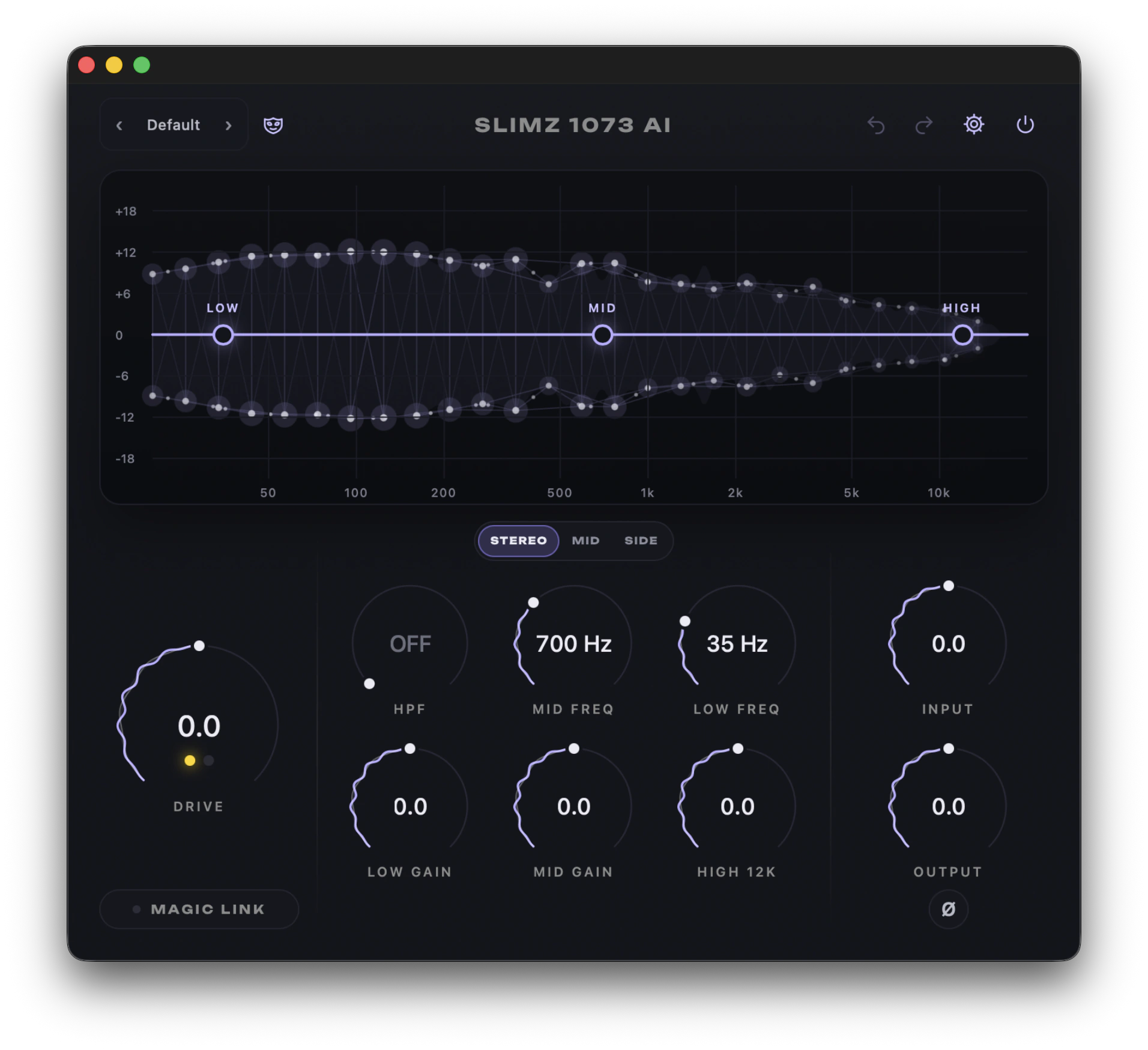
WHERE AI COMES IN
We described the channel circuit - input transformer, class A transistor stage and output stage - from scratch in math, together with artificial intelligence. Dense bass drives the transformer harder, the stage gently holds back loud passages and quiet ones pass cleaner. So vocals, bass and drums each take on color in their own way, and the track's spectrum comes alive on screen as a neural network.
Up to +12 dB of color while the level adjusts itself, so you hear character, not just "louder". The lamps show how hot it runs.
HARMONICS sets how much color blends into the clean sound, from 0 to 100%. LOW FREQ SAT saturates the low end harder for a thicker bottom.
Color the whole track, only the center or only the stereo edges. The other part passes untouched.
The classic 1073 layout with ±20 dB of range and an HPF: from a subtle tint to an old telephone sound. Up to 16x oversampling keeps the saturation clean.
MADE FOR THE WORKFLOW
Drag the LOW, MID and HIGH points right on the screen.
Plugin copies in one group share all settings: turn a knob on one track and it changes on all of them.
From Vocal Silk to Old Phone, plus your own.
Drag the corner to resize, the knobs rearrange themselves and the size is saved with the project.
Click the mask to change the color.
Undo, redo and click-free automation.
EASY TO GET STARTED